Remote Work Email Overload: How Distributed Teams Are Reclaiming 4 Hours Per Week
Remote workers face unique email challenges. Here's how AI inbox management helps distributed teams cut email time by 4+ hours weekly.
Inbox Ninja Team
Inbox Ninja
Remote Work Email Overload: How Distributed Teams Are Reclaiming 4 Hours Per Week
The remote work debate isn't about location anymore—it's about whether you can stay productive without drowning in digital coordination. While executives debate return-to-office mandates, a quieter shift is happening in how remote workers actually manage their communication load. The ones thriving aren't checking email more often. They're using AI to check it less.
The Remote Worker's Hidden Tax
Remote workers face a communication paradox. Without hallway conversations and quick desk check-ins, everything becomes documented. Every decision needs an email thread. Every update requires written context. The "coordination tax" that efficiency experts warned about in 2024 hasn't just persisted—it's mutated.
According to Gallup's 2025 workplace data, remote-capable employees now spend an average of 3.2 hours daily on written communication across email, Slack, and project management tools. That's up from 2.4 hours in 2022. The irony is painful: tools meant to make remote work easier have created new bottlenecks.
Email bears the brunt of this load. When you can't tap someone on the shoulder, you email them. When you need to document a decision for stakeholders across time zones, you email them. When you're unsure if Slack is too informal, you default to email. The inbox becomes the archive of every choice, question, and clarification that used to happen in person.
That is one reason the "infinite workday" shows up so clearly in remote teams. If you want the hard numbers behind that feeling, The Infinite Workday Starts in Your Inbox breaks down how email becomes the first and last shift of the day.
Why Traditional Inbox Advice Fails Remote Workers
The standard inbox management playbook—batch processing, two-minute rules, aggressive unsubscribing—was written for an office era. It assumes you have natural breaks between email sessions. It assumes you can walk over and clarify something instead of sending three follow-up messages. It assumes your inbox isn't also your primary interface with colleagues you'll never meet in person.
Remote workers face unique email challenges that office-centric advice ignores:
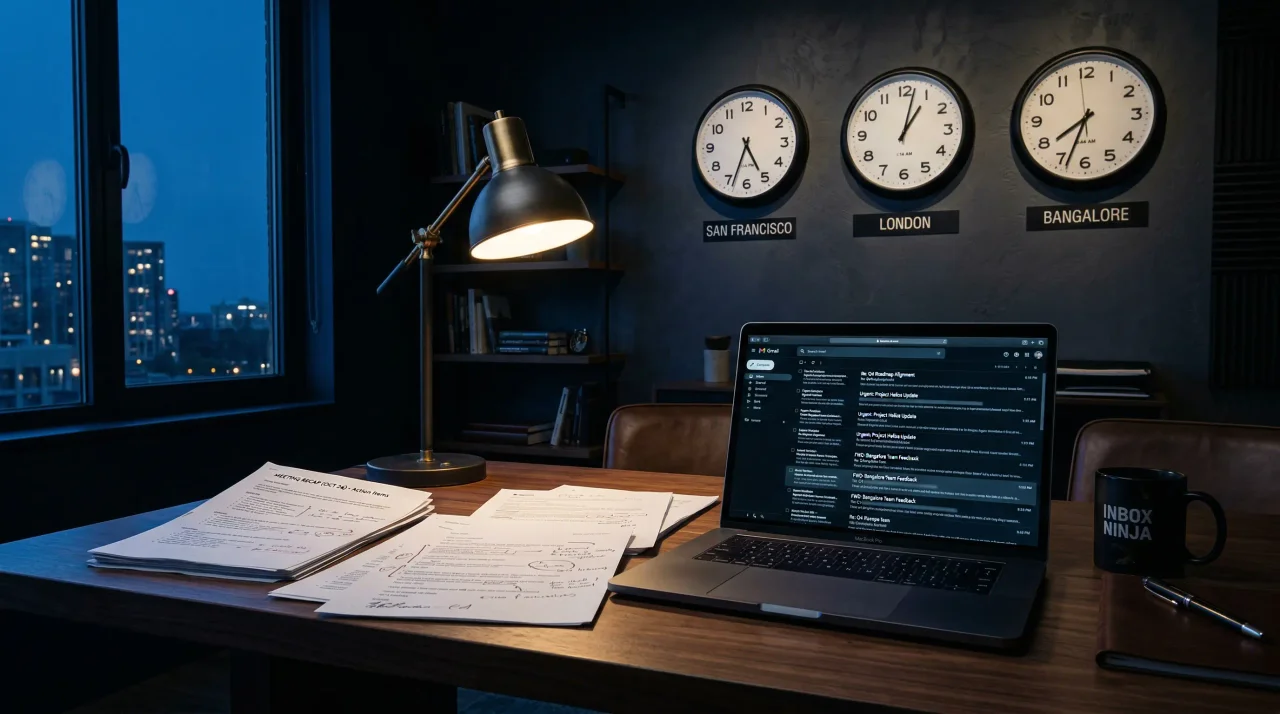
Time zone fragmentation means your "morning inbox" might be someone else's end-of-day dump. The batch processing window that works for your manager in New York leaves you playing catch-up with your teammate in Bangalore.
Async-first cultures multiply email volume by design. When real-time conversation isn't possible, teams over-document. A five-minute hallway chat becomes a threaded email exchange with six participants, each adding context and clarification.
Visibility anxiety drives unnecessary CCs and BCCs. Remote workers worry about being "out of sight, out of mind," so they loop everyone into everything. The result? Inboxes swell with messages that require reading but not responding.
Blurred boundaries mean email bleeds into all hours. Without a physical office to leave, remote workers check email during dinner, after bedtime, on weekends. The "inbox zero" goal becomes a Sisyphean task when new messages arrive continuously across time zones.
What Changed in 2025-2026
The shift from "generative AI" to "agentic AI" has quietly transformed what's possible for inbox management. Earlier AI writing tools helped you draft faster. Newer AI agents help you decide what deserves attention in the first place.
According to recent workplace productivity research, 66% of remote-capable employees now use AI tools regularly, with 40% using them frequently and 19% daily. Organizations implementing AI in remote settings report productivity gains of 30-40%. These aren't marginal improvements—they're step-changes in how knowledge work happens.
The difference is context. First-generation AI tools treated every email the same. Newer systems understand your role, your priorities, and your communication patterns. They don't just write replies—they surface what matters, suppress what doesn't, and handle the routine coordination that used to consume cognitive bandwidth.
Four Hours Back: Where the Time Comes From
Superhuman's 2026 data on AI-assisted email management reveals a striking pattern: remote workers using AI inbox tools save an average of 4.1 hours per week on email-related tasks. That time doesn't come from typing faster. It comes from four specific shifts:
1. Automated triage
AI agents now categorize incoming mail with human-level accuracy. They distinguish between "needs response today," "read for context," "automated notification," and "ignore completely." The mental load of deciding what to open first—a surprisingly exhausting cognitive task—largely disappears.
2. Draft generation that matches your voice
Modern AI doesn't produce generic responses. It learns from your sent mail to replicate your tone, your common phrases, your typical structure. The result feels like you wrote it, just faster. Remote workers report spending 60% less time on routine replies while maintaining their personal communication style.
3. Smart follow-up scheduling
Following up without being annoying is an art form. AI tools now track sent messages, monitor for replies, and suggest optimal follow-up timing based on recipient patterns. The mental overhead of "did they respond yet?" and "is it too soon to nudge?" gets automated away.
4. Meeting-to-action conversion
Remote teams live in video calls. AI tools now attend these calls (with permission), extract action items, and draft the follow-up emails that used to take 20 minutes post-meeting. The handoff from conversation to documented next steps happens automatically.
The Async Advantage
Ironically, the very thing that makes remote work email-heavy—async communication—also makes it ideal for AI assistance. When you're not expecting immediate replies, AI has time to process, draft, and refine. The async culture that multiplied email volume also creates the perfect conditions for AI to handle the load.
Smart remote teams are leaning into this. They're establishing clear norms about what needs human judgment versus what AI can handle. A typical framework looks like:
For teams sharing support@, sales@, or ops@ addresses, that only works if ownership is explicit. Our guide to Email Triage for Shared Inboxes shows one simple 4-bucket model for doing that without creating more coordination overhead.
- AI handles: Routine updates, scheduling coordination, status reports, acknowledgment replies, meeting follow-ups
- Humans handle: Complex negotiations, sensitive feedback, relationship-building, creative collaboration, final decisions
This division plays to each party's strengths. AI is patient, consistent, and available 24/7 across time zones. Humans bring judgment, empathy, and strategic thinking. The remote workers gaining back those four hours aren't replacing themselves with AI—they're delegating the parts of email that never required their unique capabilities.
Quality Improvements, Not Just Speed
Speed matters, but remote work email has a quality problem too. Without nonverbal cues and real-time feedback, messages get misinterpreted. Tone lands wrong. Context gets lost across time zones and thread depths.
AI assistance is improving email quality in measurable ways:
Clarity enhancement: AI tools flag ambiguous phrasing, suggest clearer alternatives, and ensure key points stand out. Remote workers report 35% fewer "what did you mean by that?" follow-ups.
Tone calibration: The same message reads differently at 8 AM versus 8 PM. AI can adjust formality, warmth, and directness based on recipient preferences and relationship history. A message to your peer gets one treatment; a message to the CEO gets another.
Context preservation: AI maintains awareness of previous conversations, ongoing projects, and shared history. It can remind you that a recipient was on vacation last week, or that you discussed this topic three months ago. Remote workers no longer need to maintain perfect mental context across distributed relationships.
The New Remote Work Stack
Productive remote work in 2026 requires a different tool stack than 2023. The combination that consistently produces those four-hour savings includes:
Meeting intelligence: Tools like Otter.ai and Fireflies that transcribe, summarize, and extract action items from video calls. The auto-generated summaries become the email content, not the starting point for writing one.
AI email assistants: Systems that go beyond templates to understand your priorities, draft contextually appropriate responses, and manage the follow-up choreography.
Async video: Platforms like Loom for complex explanations that would require lengthy emails. Some messages are simply better delivered via video; AI can help identify which ones and even generate talking points.
Knowledge management: Notion AI and similar tools that make institutional knowledge searchable. When information is findable, fewer emails get sent asking for it.
The pattern is clear: successful remote workers aren't trying to manage more email faster. They're reducing email volume while improving the quality of what remains.
The Return-to-Office Pressure
Here's what's particularly interesting about this moment: despite 54% of Fortune 100 companies now requiring full-time in-person work, actual office occupancy remains stuck around 50%. And AI roles are three times more likely to offer remote options than non-AI positions.
The implication is significant. As AI makes remote workers demonstrably more productive, the business case for forcing office returns weakens. When a remote worker with AI assistance produces 30-40% more output than their office-bound counterpart, "butts in seats" becomes a management preference rather than a productivity strategy.
The workers thriving in this environment aren't resisting AI or clinging to old workflows. They're adopting agentic tools that handle coordination overhead, leaving them free to do the creative and strategic work that actually requires human judgment.
Getting Started: A One-Week Experiment
If you're drowning in remote work email, you don't need a complete workflow overhaul. Try this one-week experiment. If your team still treats an empty inbox as the goal, reset the definition first with How to Actually Achieve Inbox Zero — the useful version is about zero unresolved attention, not zero stored messages.
Monday: Catalog your email time. Track every session—how long, what you did, how you felt after. Most remote workers are shocked by the actual time investment.
Tuesday-Thursday: Implement AI assistance for one category only—perhaps meeting follow-ups or routine acknowledgments. Measure the time savings.
Friday: Review the week's sent mail. Identify patterns: which emails felt valuable? Which felt like coordination overhead? Which could AI have handled?
Weekend decision: Based on your data, choose your next AI-assisted category. The goal isn't full automation—it's strategic delegation.
What This Means for the Future
The remote work conversation is shifting from "where do we work" to "how do we coordinate." The companies winning this transition aren't focused on office square footage. They're focused on reducing coordination overhead while preserving human connection.
AI inbox management isn't about avoiding email—it's about making email the right tool for the right jobs. Routine coordination gets automated. Complex collaboration gets human attention. The inbox becomes a dashboard for what actually requires your judgment, not a firehose of demands on your time.
For remote workers, this shift is liberating. The four hours reclaimed weekly don't just go to more work. They go to deeper focus, better thinking, and the human moments that make remote work sustainable. The goal was never to eliminate communication—it was to eliminate communication that didn't need to happen in the first place.
The remote workers thriving in 2026 aren't the ones checking email at 10 PM. They're the ones who delegated that reflex to an agent that never sleeps, freeing them to do their best work when they're actually online.
Inbox Ninja helps remote workers reclaim their time through AI email management. Generate context-aware drafts, automate routine responses, and surface what actually matters—all while preserving your authentic communication style.
Related Articles
The Best AI Email Writers in 2026, Ranked by What They Actually Draft
Looking for the best AI email writer in 2026? This guide ranks eight tools by the thing buyers actually care about: the draft that shows up on screen, how much you still rewrite, and whether the tool helps clear the surrounding inbox work.
AI Email Assistant for Gmail: What Works in 2026, What Doesn't, and How to Choose One
Gmail has its own AI features. So does every email assistant on the market. Here's what each actually does for your inbox, and how to pick one without wasting a week.
Superhuman vs Shortwave vs Inbox Ninja: Which AI Email Tool Actually Sounds Like You?
Three AI email tools, the same five prompts. Where each one lands on price, workflow, and the only metric that really matters — does the draft sound like you?
Ready to hit inbox zero?
Inbox Ninja triages your email, summarizes threads, and drafts replies in your voice.
Open Inbox Ninja